
Hurray, your employer has turned on Earned Wage Access by PaidHR for you! 🎉🎉🎉
Earned Wage Access (EWA) by PaidHR is a feature that lets you access up to 100% of your earned salary before payday. This means you no longer have to wait until the end of the month to cover unexpected expenses or manage your cash flow. With EWA, financial flexibility is at your fingertips.
Now that EWA is enabled for you, you can easily track and access your daily earnings through the PaidHR app. The Daily Earning Tracker in the app breaks down your net monthly salary into daily amounts, making it simple to see exactly what you’ve earned daily.
Let’s get started by setting up your account.
- First, download the PaidHR mobile app from the App Store or Google Play Store.
- Once installed, open the app.
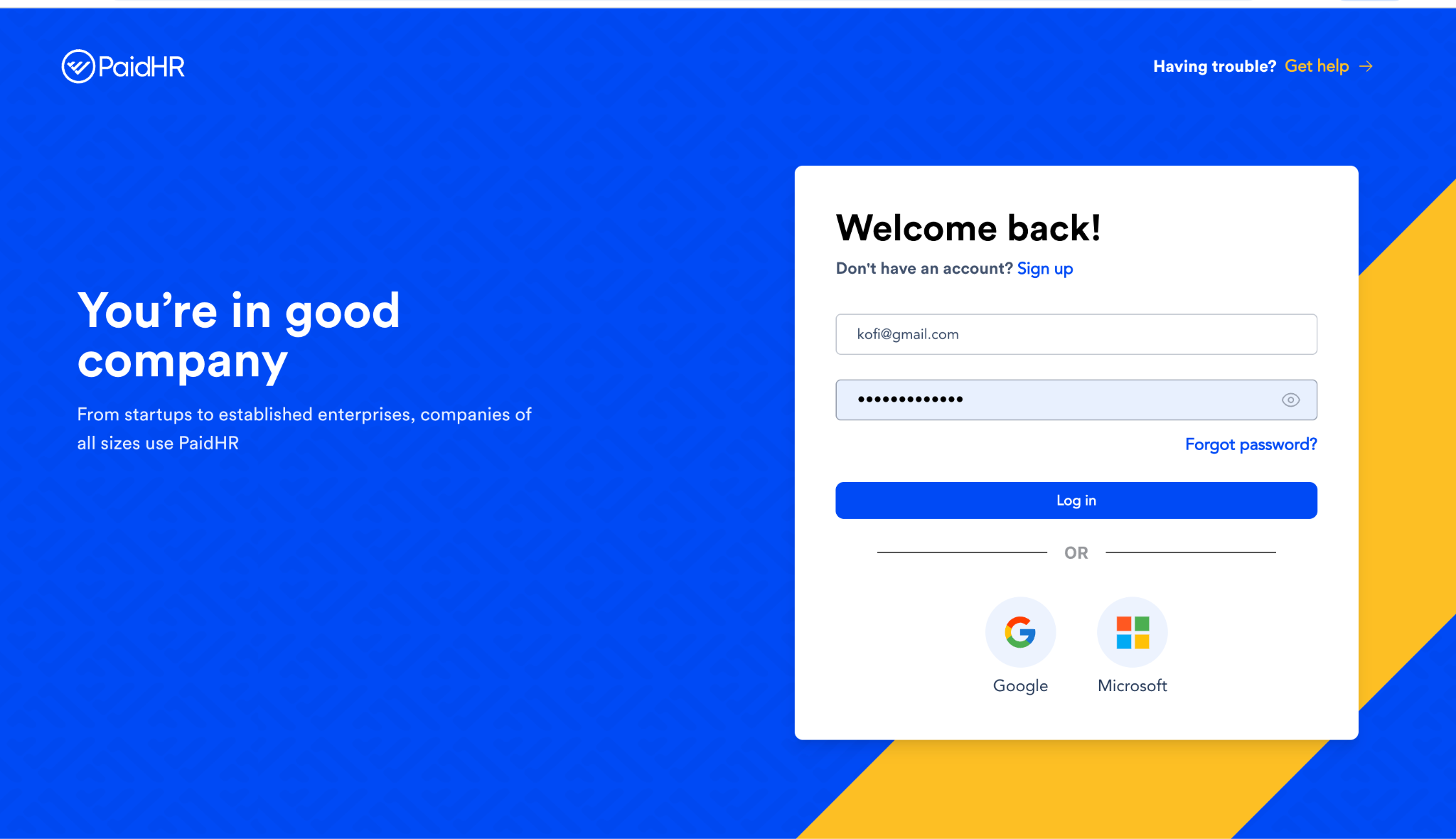
- Next, log in by entering your existing PaidHR account details, which include your work email and password.
- Then, tap on Login.
- The next step is to navigate to PaidLife,
- Click on benefits
- Select Earned Wage Access
- Click on the withdraw button to set a Transaction PIN. This will help protect your earned wages.
- Then go ahead and make transactions smoothly.
To Access the Web Version
- Log in via our website: app.paidhr.com
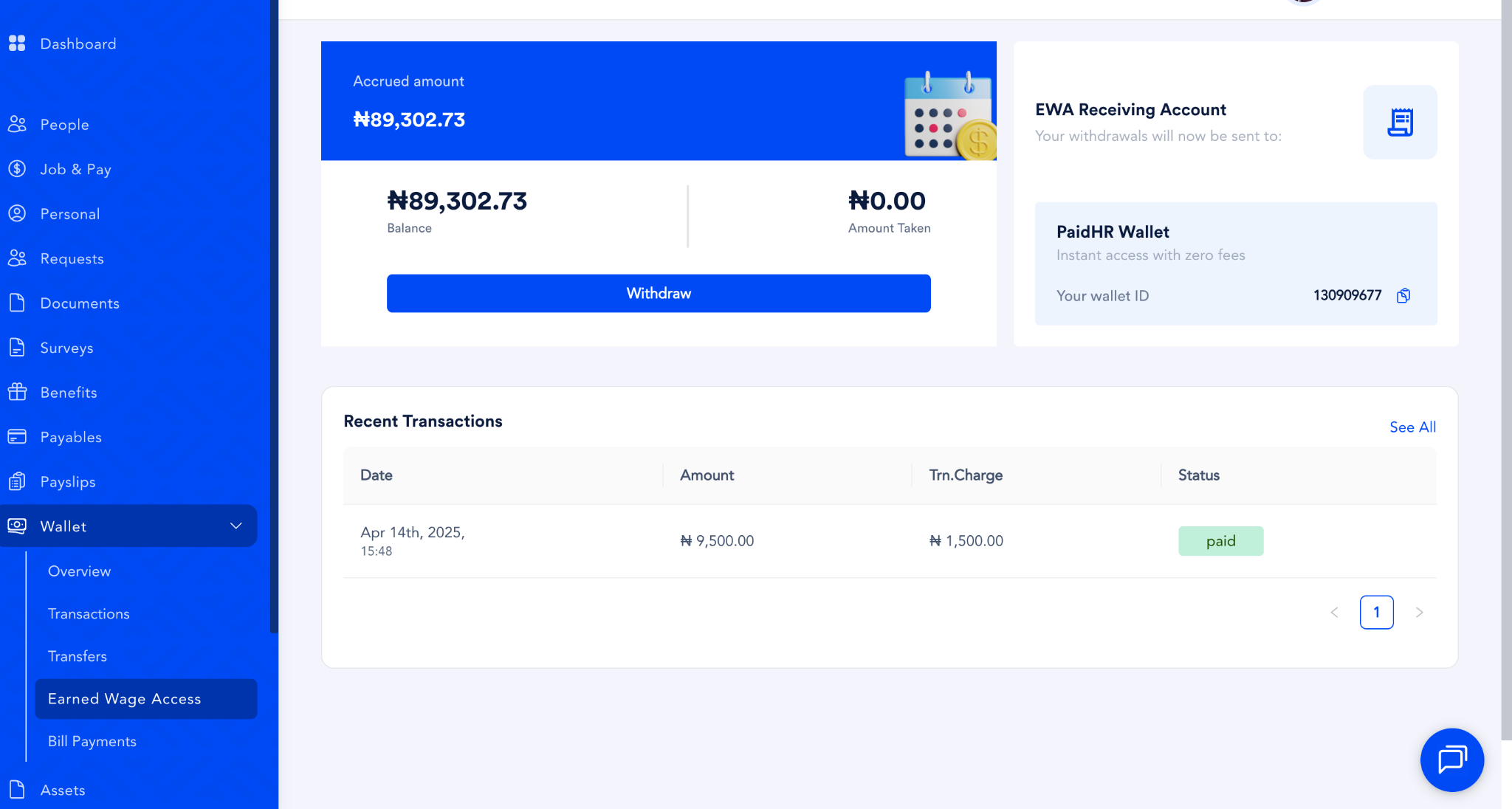
- Navigate to Wallet
- Select Earned Wage Access
- Click Withdraw to set your transaction PIN
- Once your PIN is set, you can proceed with transactions successfully
And that’s it! You’re now ready to start using EWA to access your earned wages whenever you need them.
| If your employer hasn’t turned on EWA yet, don’t worry! You can refer them by filling out this form. |