
After creating an allowance, you need to assign it to employees through their pay structure.
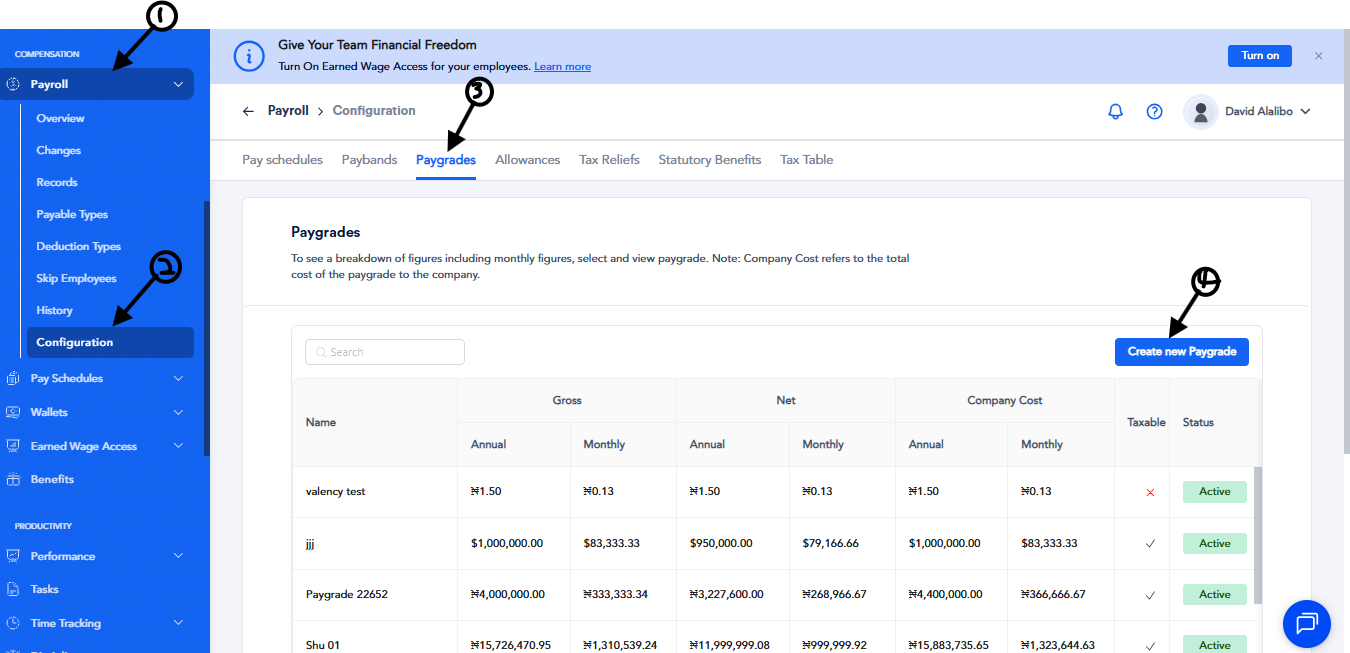
- From the sidebar, go to Compensation.
- Click the dropdown arrow next to Payroll and select Configuration.
- At the top of the page, click Paygrades, then select Create New Paygrade.
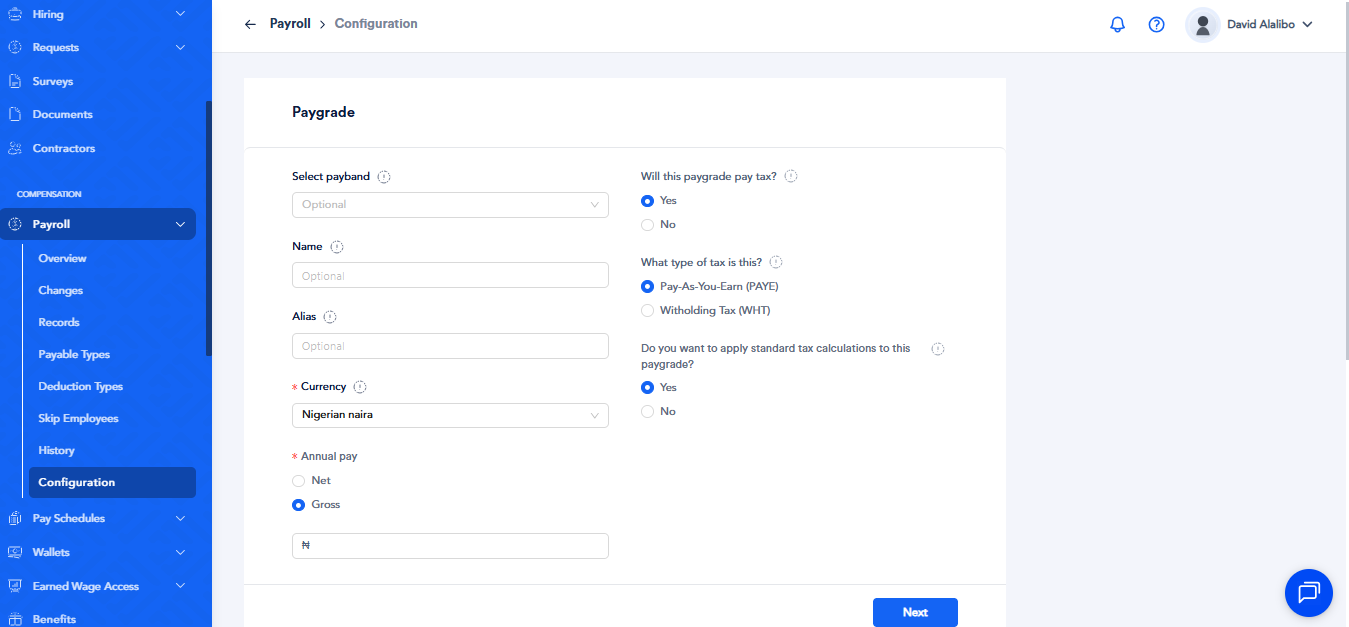
- Enter a name for the paygrade and input the gross salary, then click Next.
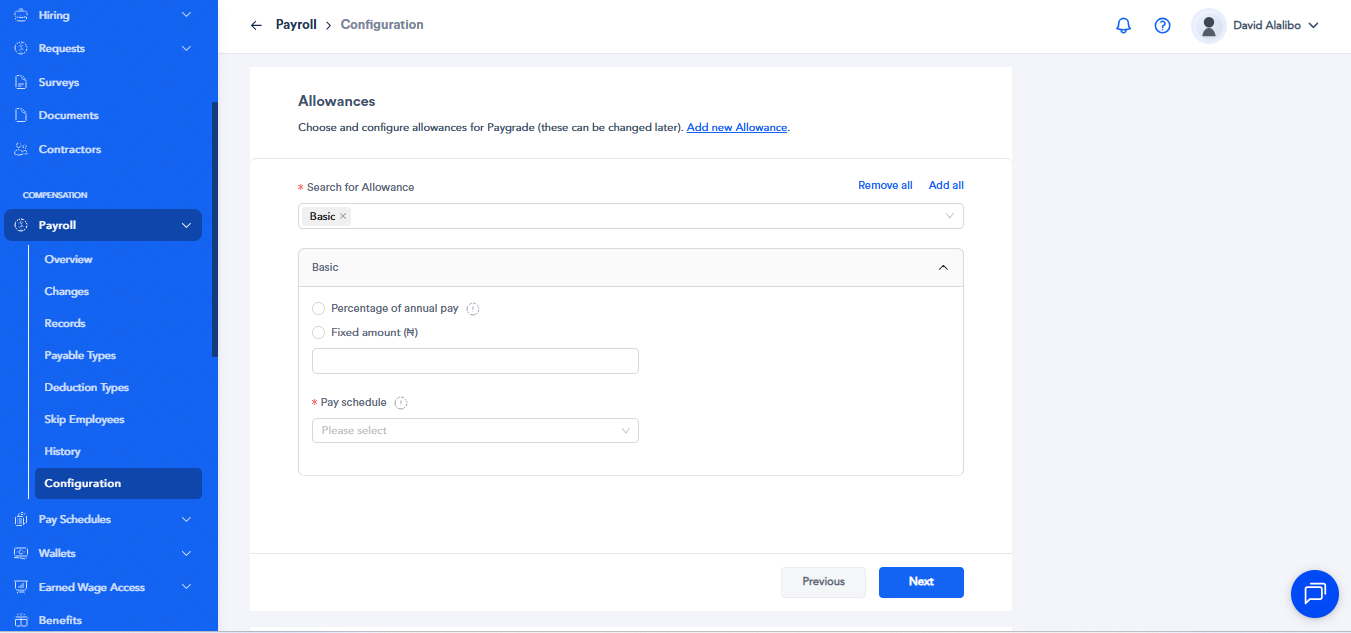
- In the Allowances section, open the dropdown and select the Allowance you created.
- Choose whether the allowance is calculated as a percentage of gross pay or a fixed amount.
- Select the pay schedule to define the pay cycle, then click Next.
- Add any required statutory benefits or reliefs and click Finish.
The same process applies when assigning an allowance using a pay band.