
This feature enables employees to access loans seamlessly through PaidHR. Employees can explore loan options from our lending partners: FunDit, Yield Bank, and Yalo, or apply for loans provided directly by their employer through the Company-Sponsored Loan feature.
PaidHR provides two loan sources:
- Company-Sponsored Loans – Loans offered and managed by the employer.
- Lending Partner Loans – Loans offered through PaidHR's lending partners: FunDit, Yield Bank, and Yalo.
- Log in to your PaidHR account.
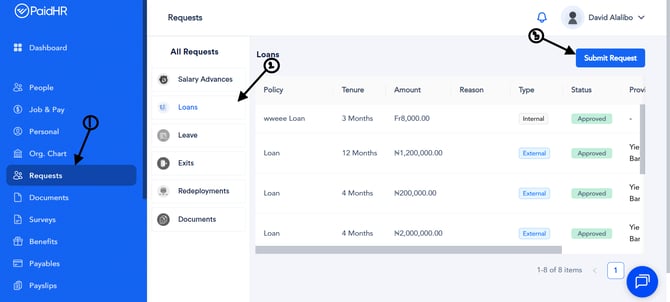
- Scroll down and click Request, then select Loan from the sidebar.
- Click Submit Request at the top-right corner of the screen.
- Select Company-Sponsored Loan and click Proceed.
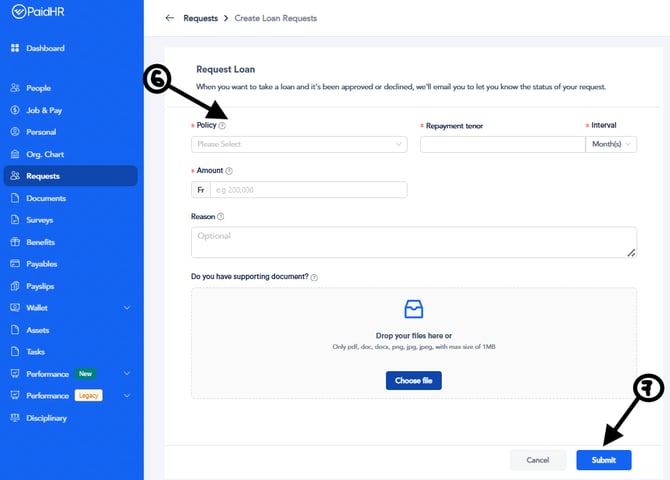
- Fill in the required fields:
- Loan Policy
- Repayment Tenor
- Repayment Interval
- Loan Amount
- Reason for Request
- Attach a supporting document, if applicable.
- Click Submit.
Your loan request will be submitted for review and approval based on your company's loan policy.
How to Apply for a Loan from the Loan Marketplace
- Log in to your PaidHR account.
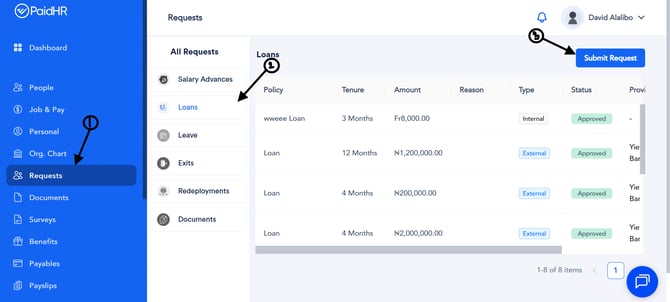
- Scroll down and click on Request, then select Loan from the sidebar.
- Click on Submit Request at the top right corner of the screen.
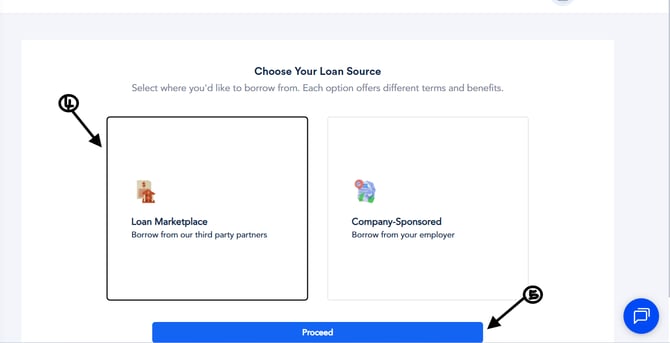
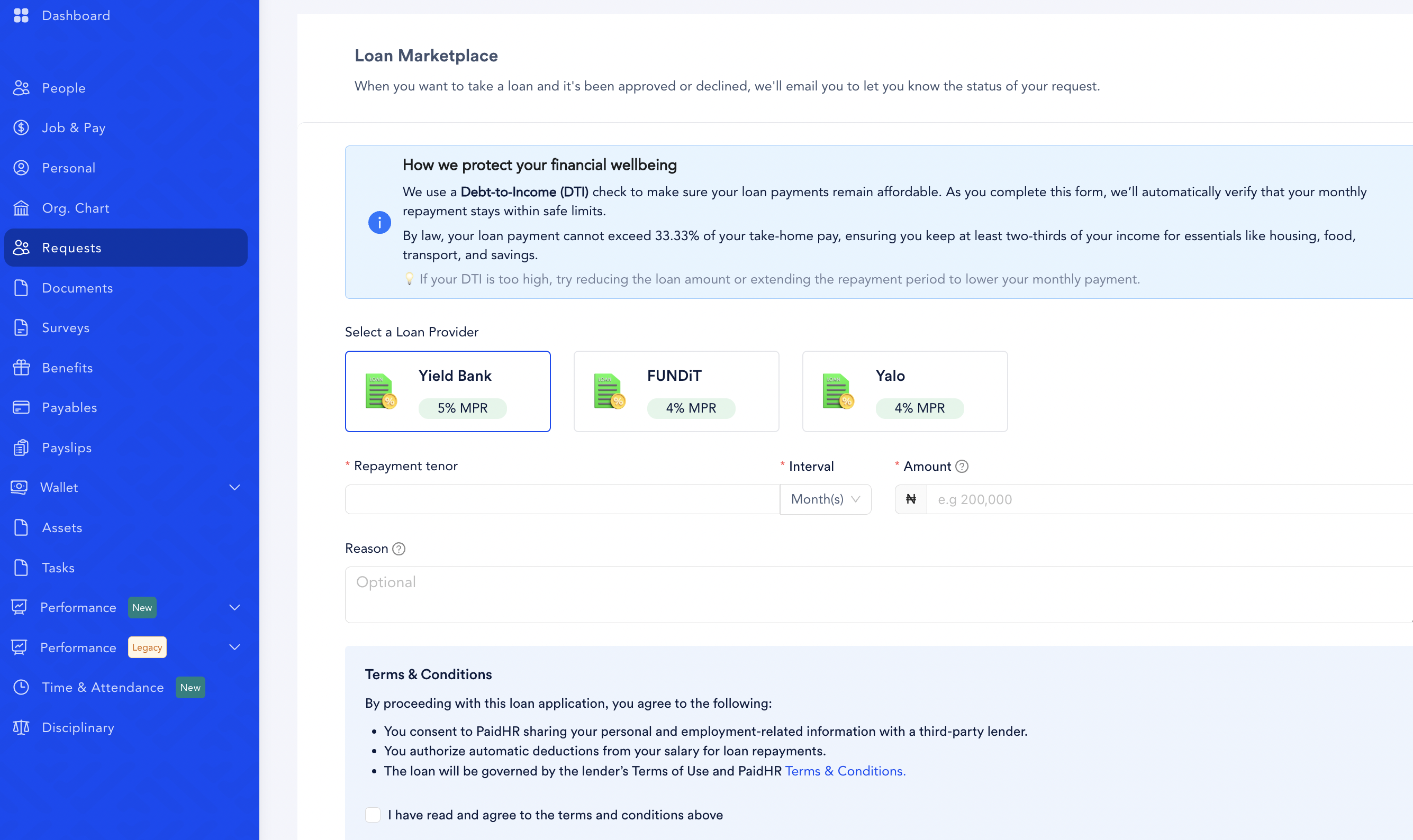
- Select Loan Marketplace and click Proceed.
- Choose your preferred loan provider.
- Fill in the required fields (BVN, NIN, Repayment Tenor, Interval, Amount, Reason).
- Review the loan policy, then tick the checkbox to confirm acceptance.
- Click on Submit.
To learn more about how your loan application, personal information, and repayments are managed with our lending partners, please visit our Privacy Policy.