
Steps to Create a Contractor Profile
- Log in to your PaidHR Admin account.
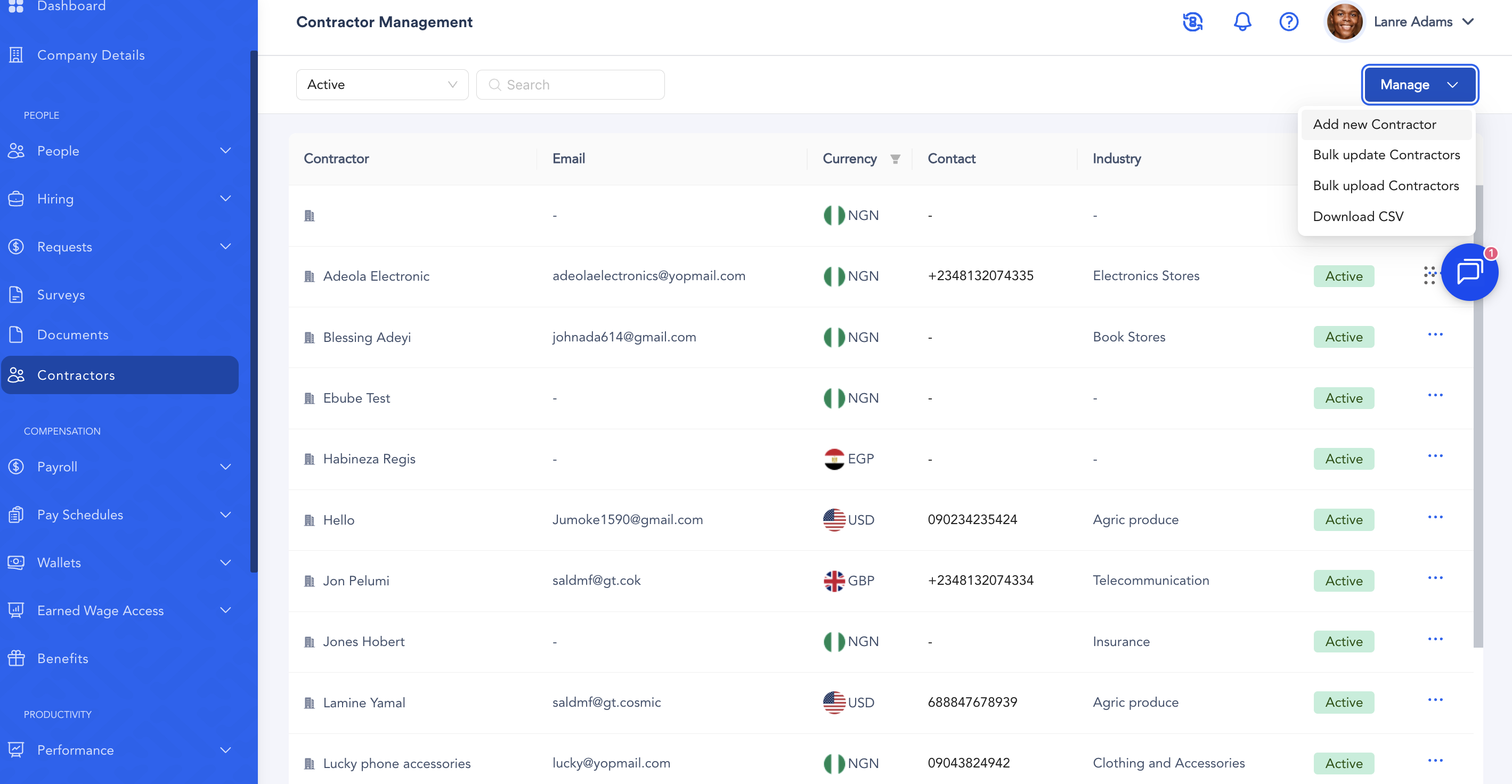
- From the dashboard, navigate to Contractors.
- Click Manage.
- Click Add New Contractor.
- Enter the contractor's Basic Information.
- Proceed to the Contact Details section and enter the contractor's required contact information.
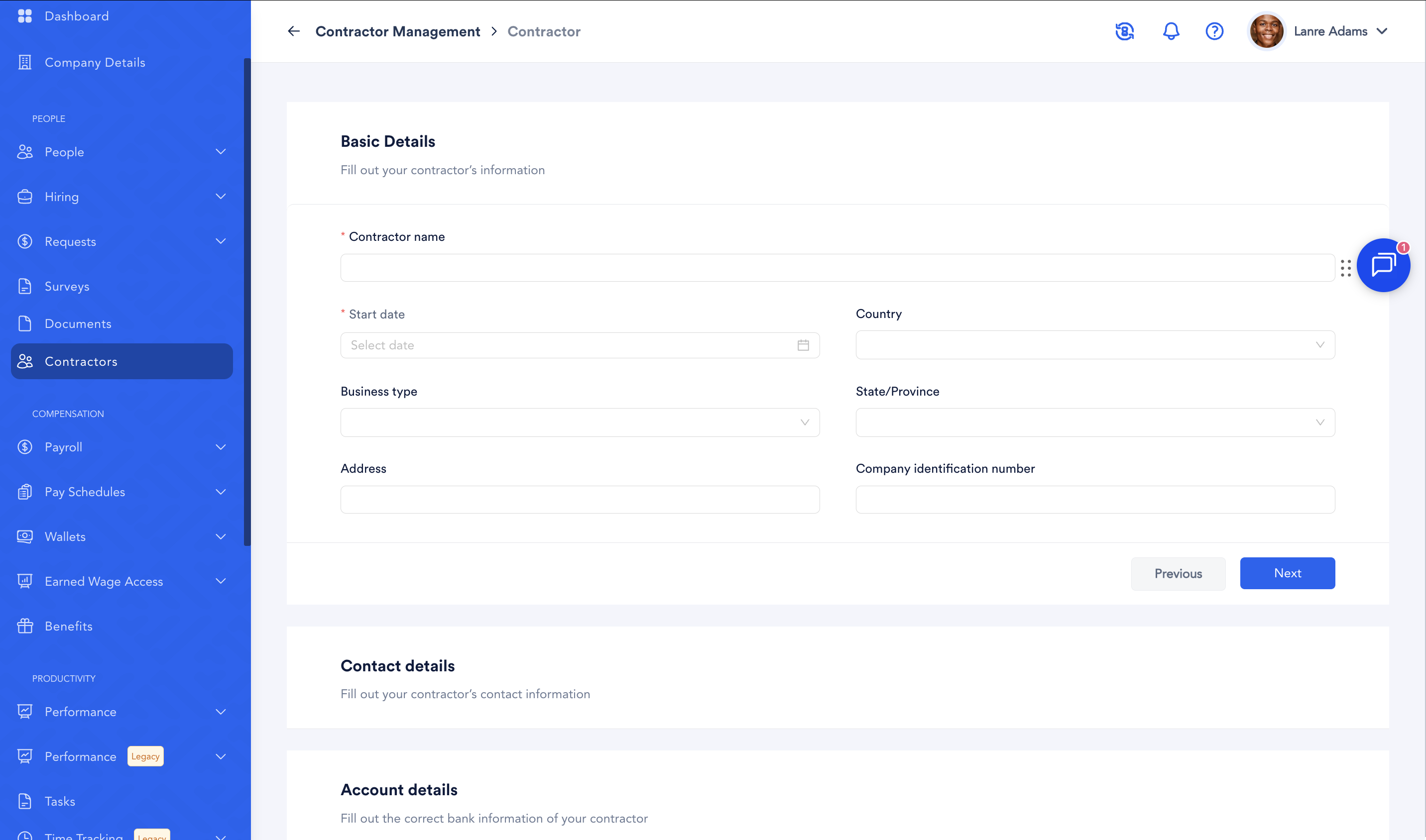
- Proceed to the Account Details section and enter the contractor's required account information.
- Review all the information entered to ensure it is accurate and complete.
- Tick the confirmation box: “I confirm that the information provided is accurate and correct.”
- Click Create.
Your contractor profile will be created successfully.