
Follow the steps below to create a Salary Advance policy:
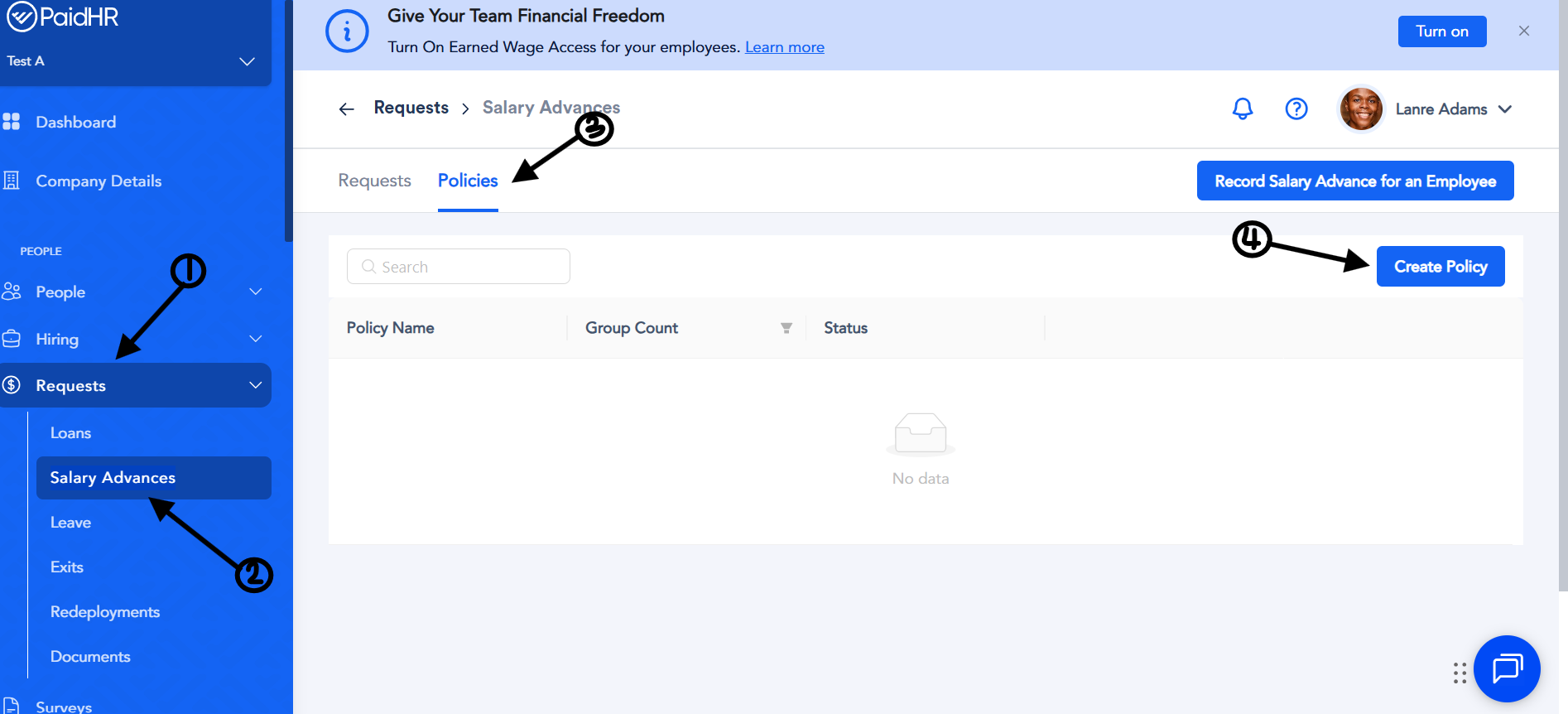
- Log in to your Admin account.
- Navigate to Requests.
- Select Salary Advance from the dropdown menu.
- Click Policies beside Requests, then click Create Policy.
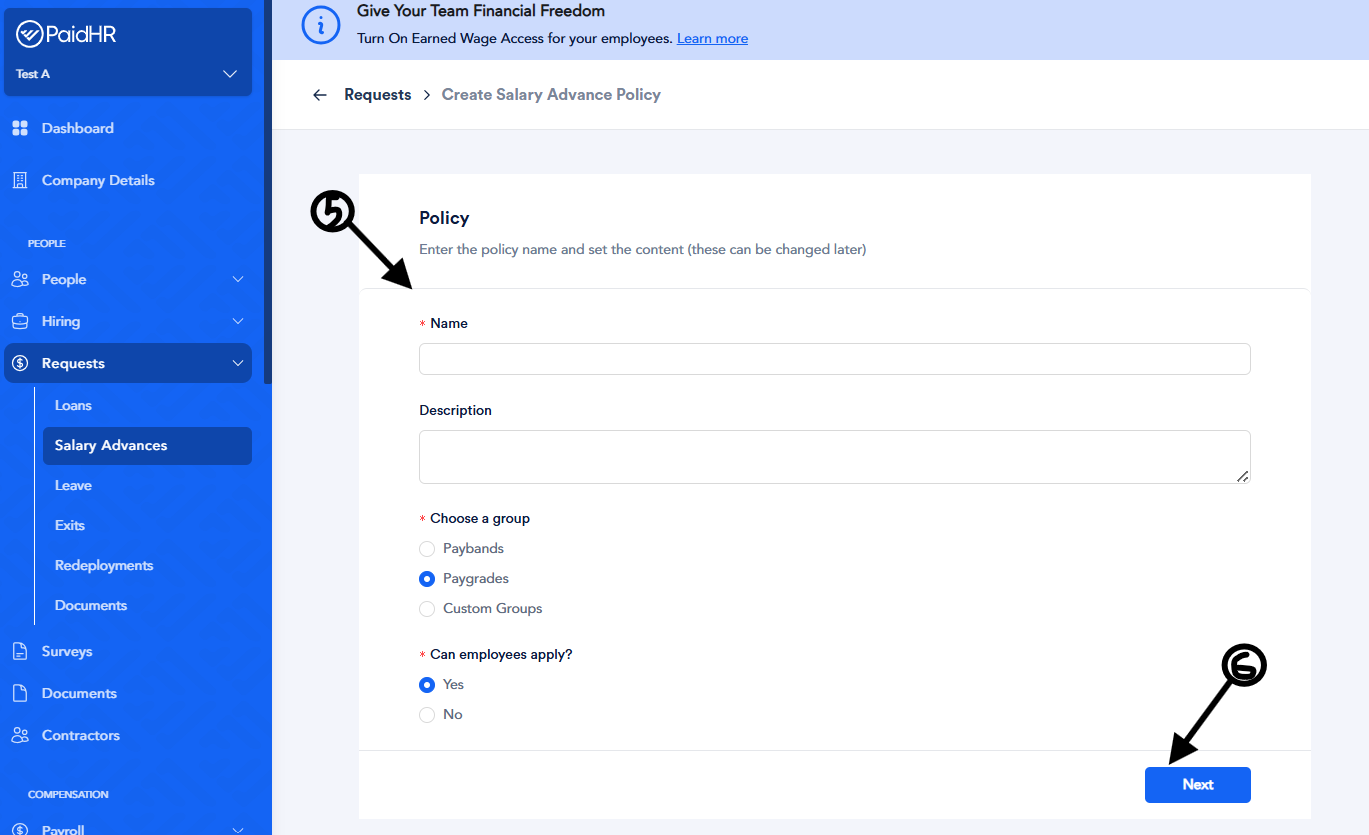
- Complete the following fields:
- Policy Name – Enter a name for the salary advance policy.
- Description – Provide a brief description of the policy.
- Choose Group – Select the employee group you want to grant access to Salary Advance. This can be a Pay Grade, Pay Band, or Custom Group.
- Can Employees Apply – Select Yes to allow employees to apply for Salary Advance or No to restrict access.
- Click Next and configure the following:
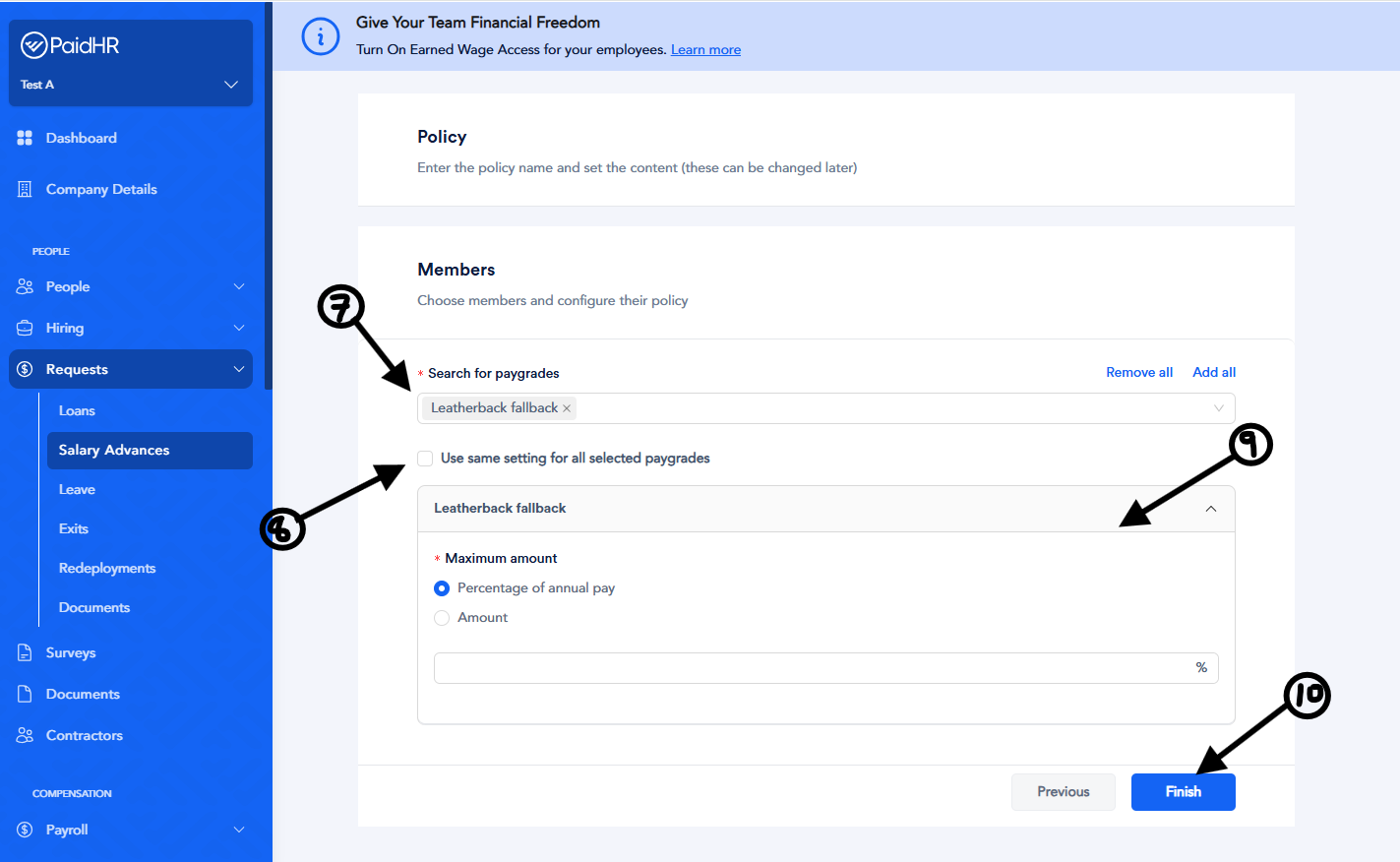
- Members – Select the pay grades, pay bands, or custom groups you want to assign the policy to using the search box.
- Use Same Settings for All Selected Pay Grades – Enable this option to apply the same Salary Advance settings to all selected pay grades.
- Maximum Amount – Set the maximum amount employees can access as either a fixed amount or a percentage of their salary.
- Click Finish to save the policy.
Once the policy has been created, employees assigned to the selected pay grades, pay bands, or custom groups will be able to apply for Salary Advance based on the policy settings