Here's how to delete a document on PaidHR.
-
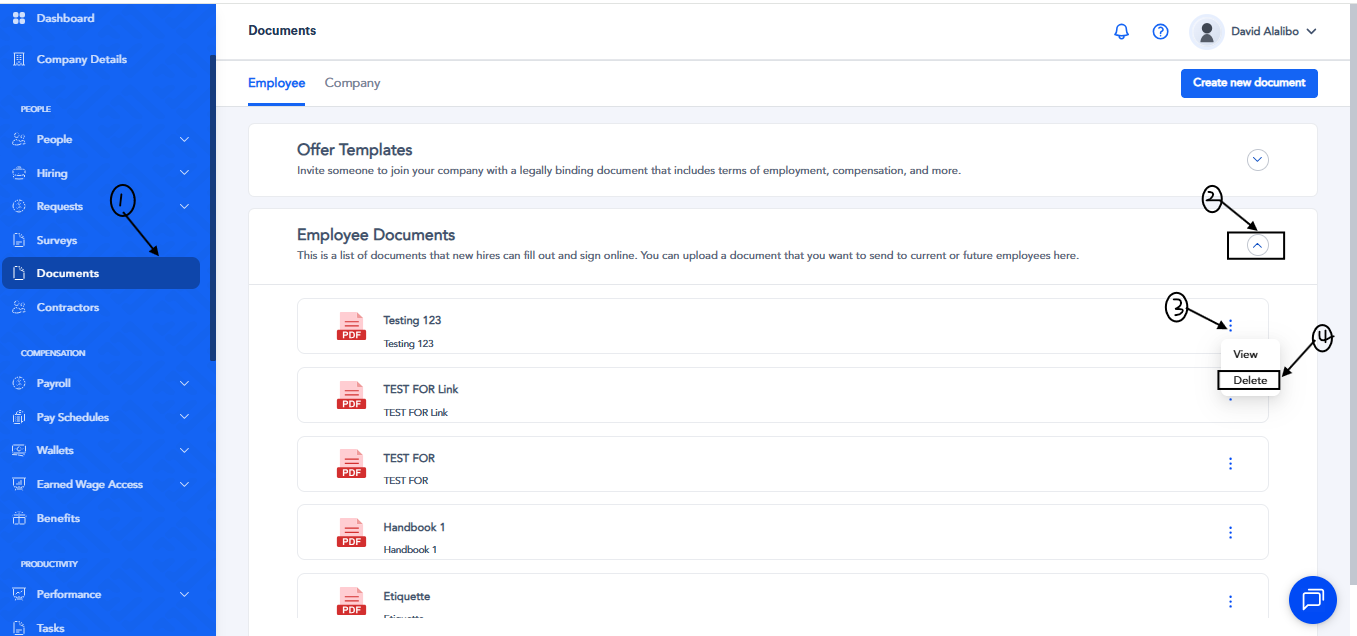
Select Documents from the sidebar menu.
-
Click on Employee Documents and all the documents you've created on PaidHR will be shown.
-
Locate the document you want to delete, click the ellipsis (…) beside it, and select Delete.
-
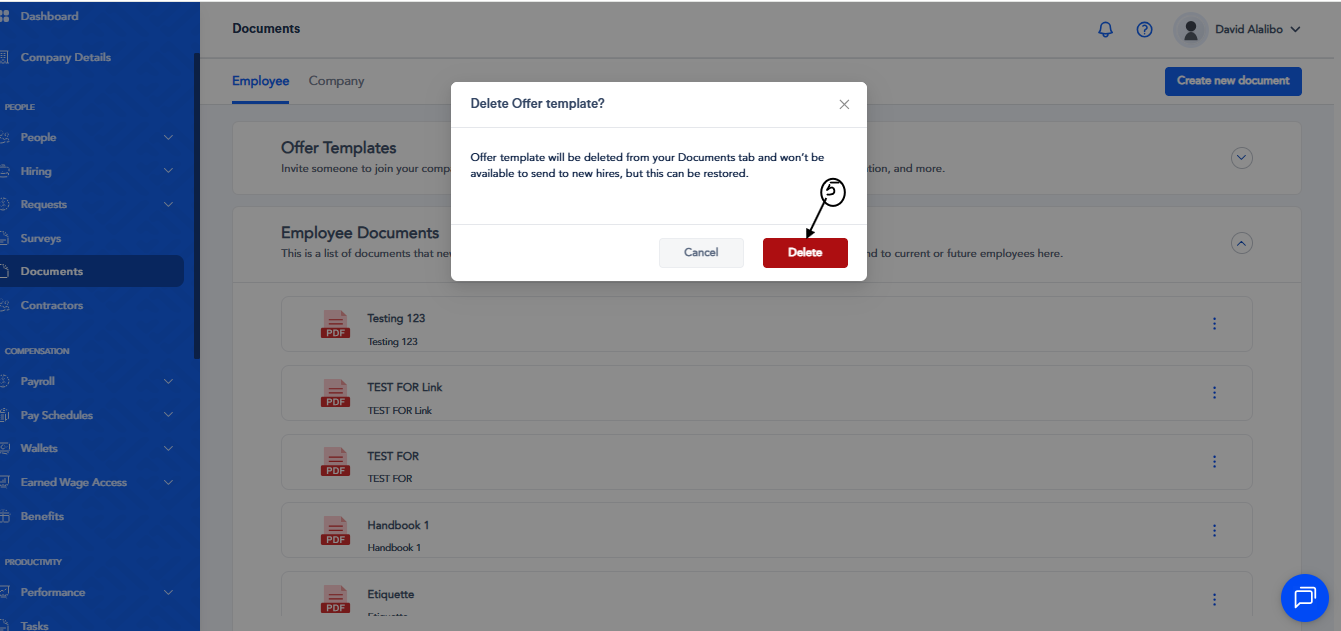
You'll be shown a warning asking you to confirm your actions. If you're sure, click on Delete and the document will no longer be available to send.
Removing or Restoring Documents
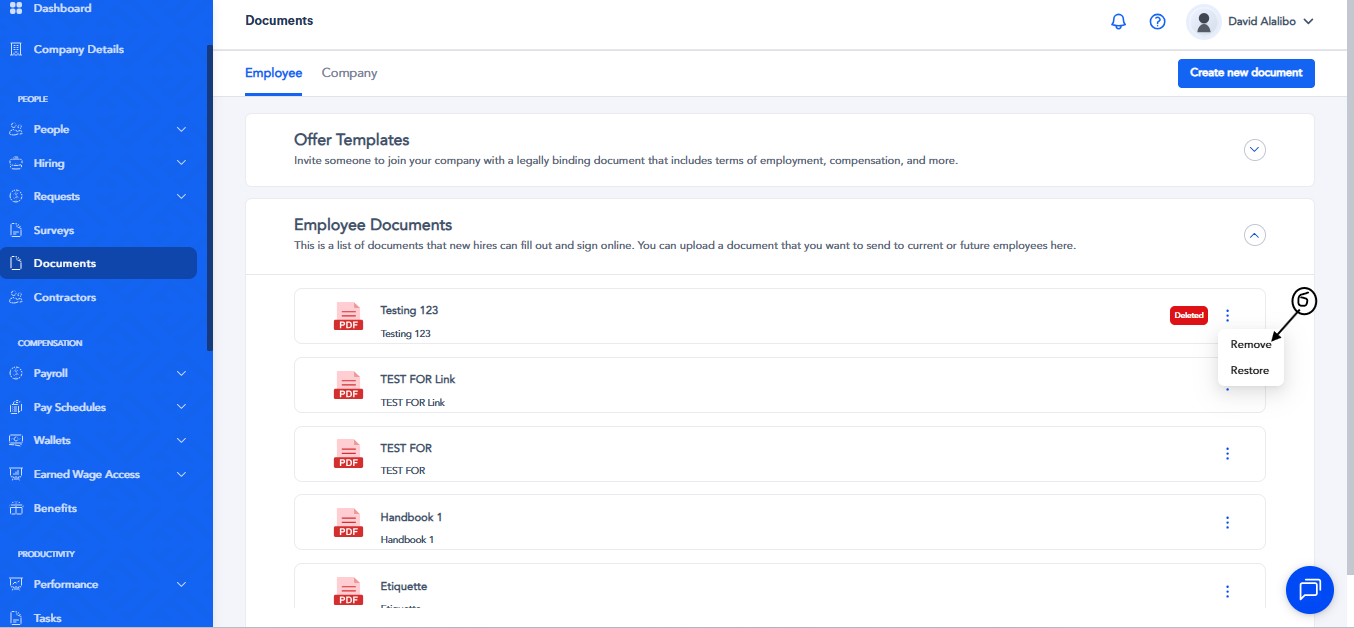
- To permanently delete a document, click the ellipsis (…) and select Remove.
- To restore a previously deleted document and make it available to send again, click the ellipsis (…) and select Restore.