
Follow the steps below to submit your exit request on the platform:
- Log in to your PaidHR account via the web.
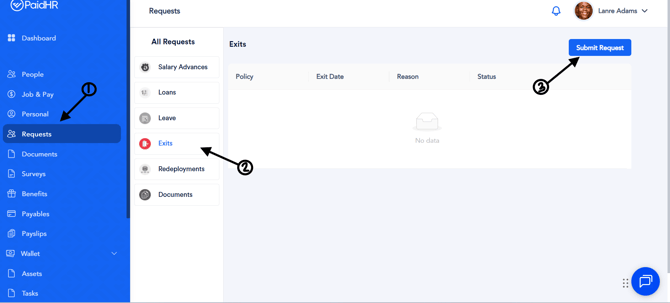
- Navigate to Requests.
- Select Exit from the list of request options.
- Click Submit Request on the right-hand side of the page.
- Complete the required fields:
- Policy – Select the exit policy that applies to your request.
- Exit Date – Enter your intended exit date.
- Reason – Provide the reason for your resignation.
- Supporting Document (Optional) – Upload any relevant supporting document, if applicable.
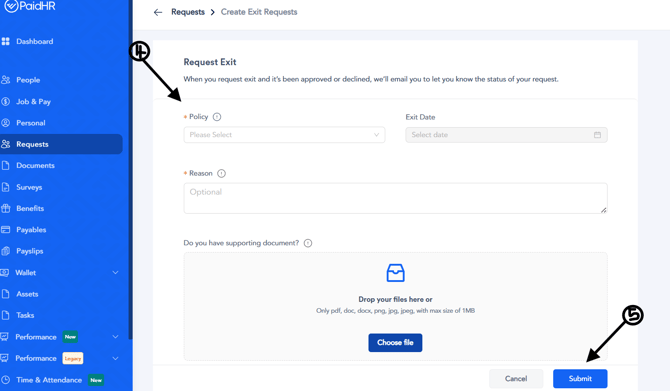
- Click Submit to send your exit request for approval.
Once submitted, your exit request will be reviewed and processed according to your organization's exit approval workflow.