Step-by-Step Guide to Setting Up Loan Policies
- Log in to your account.
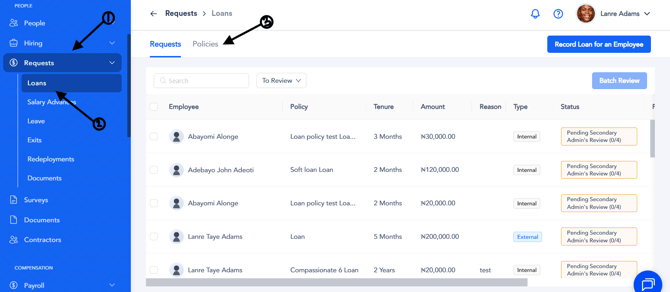
- Scroll down and click on Request.
- Click on Loan, then select Policies beside Request.
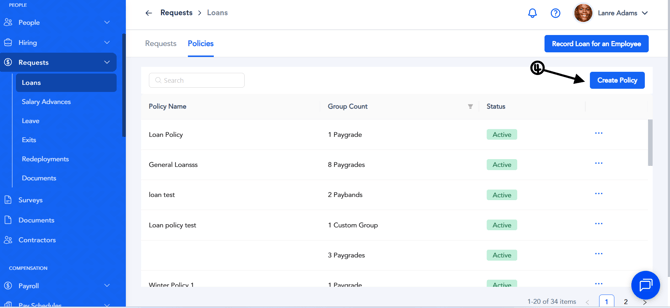
- Click on Create Policy under Record Loan for an Employee at the top-right corner of the screen.
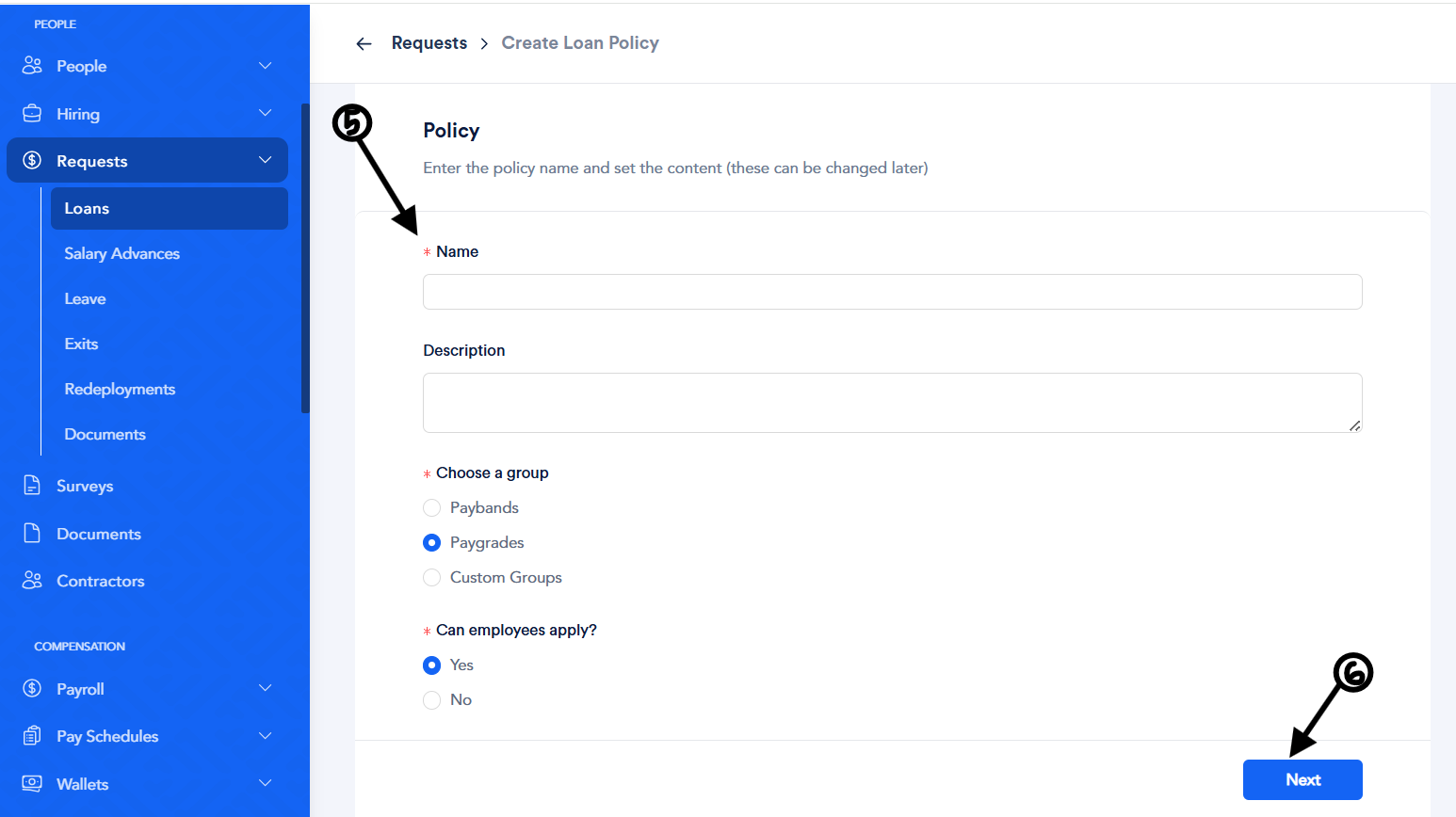
- Fill in the required fields:
- Name – Enter the name of the loan policy.
- Description – Provide a short and concise description of the policy.
- Choose a Group – Select who the loan policy should apply to, such as a pay grade, pay band, or custom group.
- Can Employees Apply? – Select Yes if you want employees to be able to apply for the loan policy, or No if you do not want employees to apply for it.
- Click on Next and select the members.
- Choose the pay grade or pay band that should have access to the policy.
- Click on Finish to successfully create the loan policy.