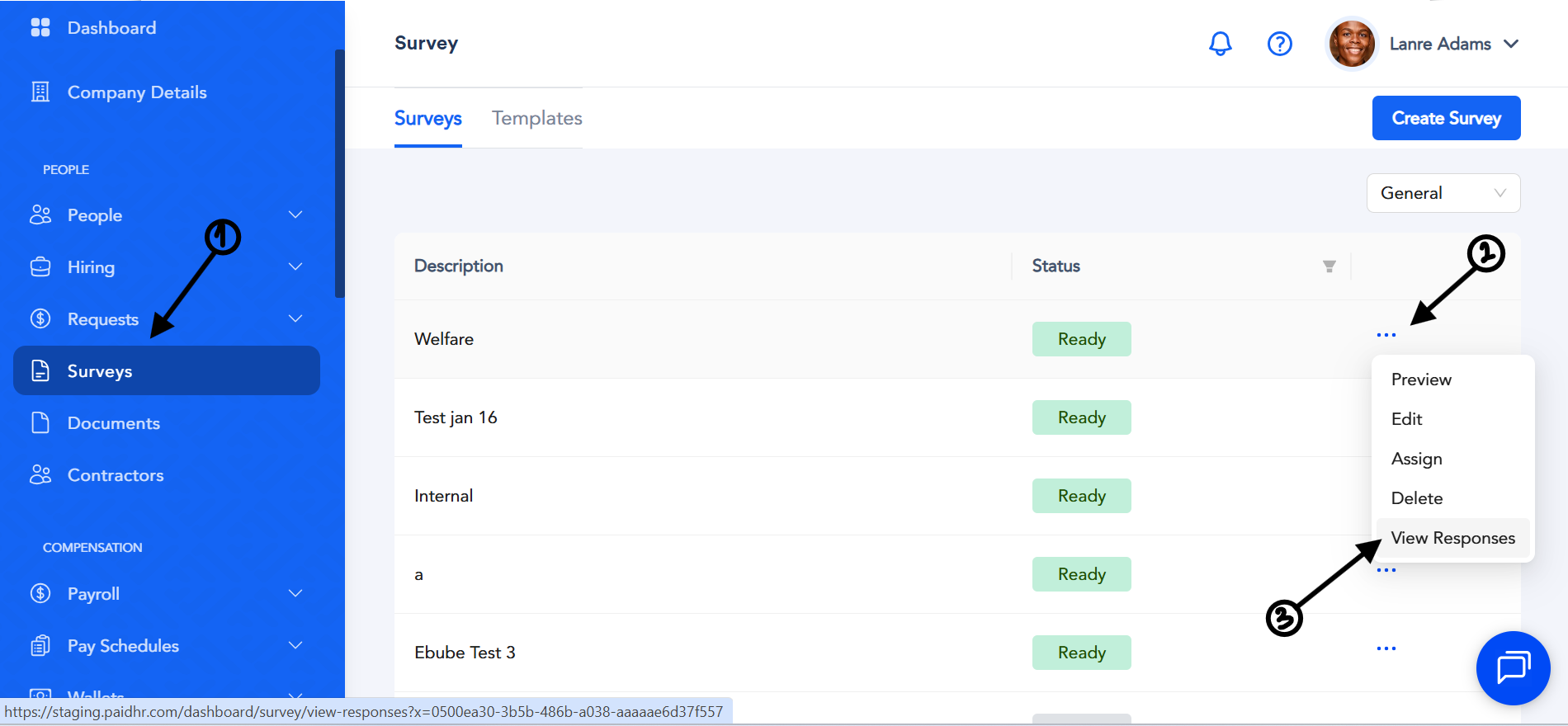
When you create a General Survey, Exit Survey, or Confirmation Survey and employees submit their responses, you can view the results by following these steps:
- Log in to your Admin account.
- Navigate to Survey.
- Locate the survey you want to review.
- Click the three-dot menu (⋯) next to the survey.
- Select View Responses.
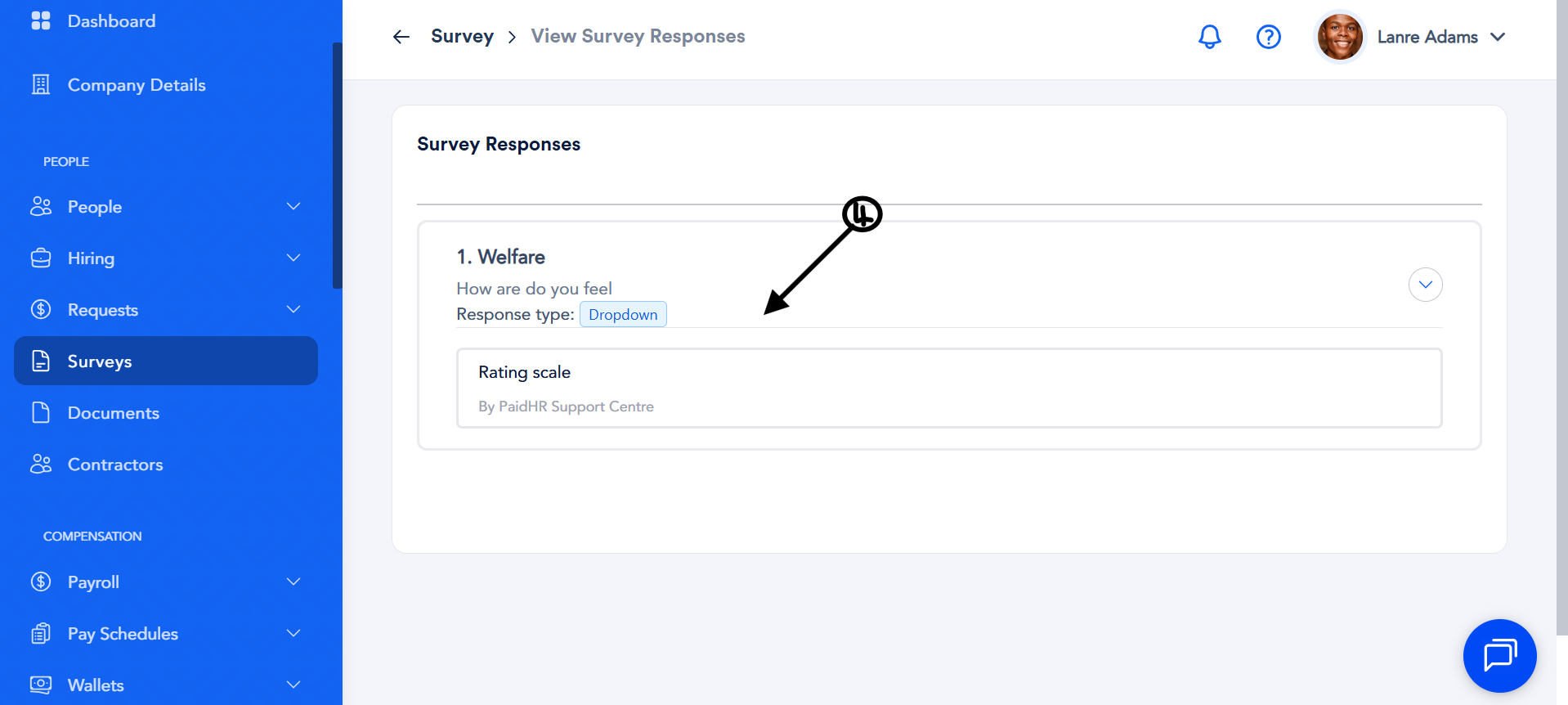
- On the Survey Responses page, click the question you want to review.
- You will see the responses submitted by the employees assigned to that survey.